Open post

Windows XP Expiration Notice

Windows XP Expiration

An URGENT Security Warning
For Businesses Running
Windows XP Or Office 2003

If your organization is currently running either Windows XP or Office 2003 on one or more computers in your office, you need to know about a dangerous security threat to your organization that must be addressed within the next 3 months. Please take a moment to read this important announcement.

As your local Microsoft Registered Partner, we are aggressively reaching out to all businesses within the San Antonio area that use Windows XP and Office 2003 to alert you of this serious security risk to your organization and inform you about what you need to do now to protect your company.

XP And Office 2003 Changes Must Be Made By April 8, 2014

windows-xp-expiration

Microsoft has officially announced that it will retire support on the XP operating system and Office 2003 software suite on April 8, 2014. That means any computer with these software programs installed will be completely exposed to serious hacker attacks aimed at taking control of your network, stealing data, crashing your system and inflicting a host of other business-crippling problems you do NOT want to have to deal with.

This is such a serious threat that all companies housing financial and medical information are being required by law to upgrade any and all computer systems running XP or Office 2003 because firewalls and anti-virus software will NOT be sufficient to completely protect them (or you).

Windows XP Expiration IS NOT A SCAM!

Unless you don’t care about cyber criminals running rampant in your company’s server, you MUST upgrade any equipment running these programs.

FREE Microsoft Risk Assessment And Migration Plan Shows You The Easiest, Most Budget-Friendly Way To Upgrade

At no cost, we’ll come to your office and conduct our proprietary 17-Point Risk Assessment — a process that’s taken us over 3 years to perfect — to not only determine what specific computers will be affected by this announcement, but also to assess other security, backup and efficiency factors that could be costing you in productivity and hard dollars. We will also put together a customized Migration Plan for your office.

Sign Up Here


Areas Covered

We provide a wide range of complete computer IT support, network services, IT consulting and Windows XP expiration help to businesses throughout San Antonio, Schertz, Seguin, Boerne, Canyon Lake, Stone Oak, Universal City, Pleasanton, Castle Hills, Leon Valley, Converse, Shavano Park, Cibolo, Olmos Park, Live Oak, Timberwood Park, New Braunfels and throughout Southern Texas.

Local experts who can help and visit your business on-site: IT Support San Antonio, Stone Oak IT Consulting, Leon Valley Network Services, San Antonio Backup and Disaster Recovery, Stone Oak Information Technology Consulting and San Antonio Anti-Virus and Security.

Open post
it-services-it-support-san-antonio

What Is Cloud Computing And Why Should You Care?

Cloud Computing San Antonio

There’s a good chance that MOST of the software applications you use every day are now SaaS applications, or “software as a service.” In other words, you don’t have to install them on your server or PC – you simply access it as a pay-as-you-go model for only the licenses, space and features you use. This gives you the ability to access highly sophisticated software and functionality at a fraction of the cost – or even for free – and without long-term commitments.

For example, Google is a massive, free cloud application – the power required to search billions of web sites and content in seconds and deliver the relevant results to your screen far exceeds the capacity of your PC. Facebook is another free cloud application that allows you to post pictures, play games, and connect with your friends in real time without having to install those applications on your computer. Of course, there are also the applications such as Salesforce, Constant Contact, SurveyMonkey, etc., that you pay to use.

With the recent introduction of cloud-based office applications like Office 365, Google Apps and thousands of other SaaS applications, it’s becoming unnecessary for some businesses to purchase and maintain an onsite server. Now companies can host one or more of their applications, data, e-mail and other functions “in the cloud.” That simply means it’s stored offsite in a highly secure, high-availability “utility” company that has far more power and resources than you could ever logically have onsite as a small business. And with devices getting cheaper and Internet connectivity exploding, cloud computing is suddenly a very smart, viable option for small business owners.

What Are The Benefits Of Cloud Computing?

Eliminates the need for expensive server upgrades and allows you to use cheaper devices (PCs, etc.) to get the same work done.
Frees you to access applications from any device and any location. All you need is an Internet connection.
Built-in disaster recovery and business continuity.
Only pay for what you need and use (utility pricing).

Is Cloud Computing Right For You?

While there are a ton of benefits to cloud computing, it’s NOT right for every company. Some applications don’t play well in the cloud. You need commercial-grade Internet connectivity, and some functions, like working with big graphics files, are better kept local or the slowness will make you crazy. However, in almost every case, parts of your computer network (functions) can easily be put in the cloud to save you money and give you better service. So before you donate your server and sign up for Google Apps or Office 365, it’s important you talk to someone who can honestly assess your unique situation and tell you the pros and cons of making the switch to cloud computing.

Sign up for a Free Cloud Readiness Assessment to see if your company can benefit from this technology that is revolutionizing the business world.


Open post

Backup Solutions – Special Alert For San Antonio Business Owners

Backing Up Your Server Alone May Still Lead To Data Loss

Most business owners know that it is important for their servers to be backed up. But what about your computers (desktops, laptops, Macs)? Though it’s true that quite a bit of your data is stored on your servers and backed up on your network, your computer itself (your icons, your background, all of your settings, your local files, music and pictures you have stored, and all of your software applications) is most likely NOT being backed up.

If your computer were to crash, get a virus, or simply die, all of that information could be lost. The company data that you’ve saved to your server would still be there IF you are saving everything to your server (a big if for many people), but everything else would be gone. You would have to recreate that computer by reloading all of the software and settings. And if you’ve ever had this happen to you, you know that it can take a significant amount of time to do. What a pain!

So, How Do You Solve This Problem? Backup Solutions. backup-solutions-san-antonio

Simple. You use an imaging software on your computer that automatically takes periodic images of the machine and sends them offsite or to your server for safe keeping. Imaging software takes a “picture” or “snapshot” of your computer so it records it exactly as it is with all of the software, settings and local files you have on it. This way, with backup solutions, if your computer ever crashes, there is no need to re-load everything onto it and reconfigure the computer. Simply restore your last “image” from before the crash and your computer can be back to its old self again. This is a huge time saver and can be a life saver when something goes wrong.

Protect Your Desktops And Laptops with Backup Solutions!

Sign-up for a 30-day FREE trial (a $397 value) of our Managed Desktop Backup Solutions and see for yourself how simple it can be to keep your computer data and files safe and sound. You may be amazed the peace of mind that you find when you are completely backed up!

Sign up today at www.123onit/desktops
or by calling us direct at 210-273-4524.

Open post
it-services-it-support-san-antonio

Is Your IT Guy Holding You Prisoner?

Is Your IT Guy Holding You Prisoner? – IT Services

Here’s a question you’ve probably never thought about: If your IT guy went away, would you know where all the passwords, data, software licenses and disks, key codes, and other important information were stored? Do you know how to log into your server? Do you know the passwords to all your employee’s workstations? Do you know where your offsite data is stored and how to access it? Is your network documented so that another IT services person could come in and pickup where they left off? If not, your IT guy is holding you prisoner.

If he’s doing a good job, you might not mind too much; however, you should STILL have him or her document your network in case they didn’t show up one day for work. And if you AREN’T really happy with their work and aren’t sure if they are doing a good job, that’s all the more you should have this done.

Occasionally I’ve run across potential new clients who aren’t really happy with their IT services guy’s work, but stay with them out of fear. As one business owner to another, this is NEVER a good reason to stay with your current provider.

If you can’t trust the person with the most access and power over your computer network – the core of your business – you need to find someone you CAN trust. A truly professional person or provider would NEVER hold their client hostage or do any harm in handing over the “keys to the kingdom” to another company. And any good IT services firm should be able to walk you through the transition to prevent that person from doing any damage.

How To Know If Your IT Guy Is Doing A Good Job

Another reason business owners stay with their current IT person is simply because they don’t know what good IT service really IS, and therefore lowered their expectations. Over and over again I’m absolutely HORRIFIED by the incompetence and irresponsibility I discover when I audit most business networks. In 98% of the computer networks I review, I find faulty or non-existent backups, security loopholes, shoddy reporting, and flawed systems that simply cost more to maintain and don’t align with the operations of the business.

Plus, not a week goes by where we don’t get a ‘911 crisis call’ from a business owner with a major technical disaster that COULD have been prevented. Why do so many businesses pay for substandard computer support? Simply because they don’t know how to truly verify that their network IS secure and end up having to take someone at their word.

[box] Here’s a quick quiz to know if your IT guy IS doing a good job. If your technician does not score a “yes” on every point, you could be paying for substandard support:

YES/NO  Do they answer their phones “live” and respond to support issues in one hour or less?

YES/NO  Are they remotely monitoring your network 24-7-365 to keep critical security settings, virus definitions, and security patches up to date?

YES/NO  Do they INSIST on monitoring an offsite as well as an onsite backup, or are they letting you rely on outdated tape backups?

YES/NO Do they INSIST on doing periodic test restores of your backups to make sure the data is not corrupt and could be restored in the event of a disaster?

YES/NO Have they provided you with written, network documentation detailing what software licenses you have, critical network passwords, and hardware information, or are they the only person with the “keys to the kingdom?”

YES/NO Do they consistently (and proactively) offer new ways to improve your network’s performance, or do they wait until you have a problem to make recommendations?

YES/NO Do they provide detailed invoices that clearly explain what you are paying for?

YES/NO Do they explain what they are doing and answer your questions in terms that you can understand (not geek-speak)?

YES/NO Do they complete projects on time and on budget, or does every project end up taking longer and costing more than you expected?

YES/NO Do they offer any guarantees on their services?

YES/NO Do they have other technicians on staff who are familiar with your network in case your regular technician goes on vacation or gets sick?

YES/NO Do their technicians maintain current vendor certifications and participate in ongoing training, or do you feel as though they are learning on your dime?

YES/NO Do they take calls from other clients while working on your network (and on your dime)?

YES/NO Do you have to manage their progress on projects, or do they provide frequent updates, status reports, and follow-up calls and e-mails?

YES/NO Do they offer flat-rate or fixed-fee project quotes, or do they give themselves a wide open playing field with “time and materials?”

[/box]

[box type=”warning”]

If Your Current IT Services Guy Failed This Test, Sign Up For A FREE Network Health Check To Make Things “Right”

If you’re NOT happy with your IT services person and have a sneaking suspicion that they aren’t doing the best job possible, then call us in at 210-263-3810 for a second opinion. At no cost or obligation to you, we’ll come to your office and conduct a network health check to look for problems with your backup, security, speed, and any other problems that could lead to data loss, downtime, and high repair fees.

[button link=”https://123onit.com/it-consulting-san-antonio-free-computer-stuff/free-network-audit/” type=”icon” icon=”refresh” newwindow=”yes”] Activate Your No-Obligation Problem Prevention Technology Health Check[/button][/box]

[et_lb_bar css_class=””][/et_lb_bar]


Open post
it-services-it-support-san-antonio

Utilize Search Engine Optimization and Technology to Generate Leads for Your Business

If you aren’t using the advances in technology to help you market your business, you’re ignoring a very important resource. There are a variety of affordable, technology-based techniques that you can use to help your business reach a broader audience and that can be leveraged to better reach your target clientele. These include automated marketing services, search engine optimization, blogs and electronic newsletter distribution.

Automated Marketing

Automated marketing covers a broad array of functions with a common theme: it’s all about turning labor intensive manual tasks into something that is done automatically, increasing efficiency in the process. Implementing automated marketing strategies cuts costs, improves accuracy by eliminating the human error inherent in repetitive work and can materially improve your rate of success by developing marketing approaches that would be effectively impossible through any other means.

Marketing automation can be used to better identify business leads through a process of prospect scoring—easily and quickly detecting and classifying likely targets for your business. It can also be used as a means of creating nuanced points of direct and indirect contact to help turn prospective customers into realized ones. In short, automated marketing can be used as a full developed marketing schematic, from plan development and management through execution.

Search Engine Optimization

In short, search engine optimization (SEO) refers to the technique of driving Internet search traffic to your site through an understanding of the algorithms that guide results for the major Web search engines (Google in particular). While the search engine providers don’t release specifics about how their services work, consultants that specialize in search engine optimization have developed a variety of tactics that can help your websites and blogs to raise to the top of the search engine rankings. Strategies involving specific types of content, links and key words, among other things, can all help ensure that you have a competitive edge in driving potential customers to your online vehicles.

Electronic Newsletters and Blogs

A form of direct e-mail marketing, electronic newsletters are sent, automatically, to an entire list of subscribers. They will often contain news items of interest to your base of existing and prospective customers as well as information about your products and services. Properly executed, a newsletter can inform clients of promotions and sales and will encourage a response through the inclusion of direct links to allow purchases and further contact with company representatives. This can be a very effective way to stay engaged with your clientele on a regular basis without resorting to more traditional—and more costly—forms of indirect advertising.

A business blog is frequently used as a kind of electronic newsletter, minus the direct e-mail component. A blog ordinarily includes targeted, “newsy” information of interest and, combined with SEO tactics, can be effectively utilized to drive traffic to your commercial website and to harvest leads for a direct mailing list.

The End Result

If you’re ignoring technology related strategies and techniques to market your business and better pursue customer leads, you’re not using all of the tools at your disposal to make your enterprise profitable. Contact an IT consultant to see how you can optimize the use of technology for the benefit of your business.


Areas Covered

We provide a wide range of complete computer IT services, network support and IT consulting to businesses throughout San Antonio, Schertz, Seguin, Boerne, Canyon Lake, Stone Oak, Universal City, Pleasanton, Castle Hills, Leon Valley, Converse, Shavano Park, Cibolo, Olmos Park, Live Oak, Timberwood Park, New Braunfels and throughout Southern Texas.

Local experts who can help and visit your business on-site: IT Support San Antonio, Stone Oak IT Consulting, Leon Valley Network Services, San Antonio Backup and Disaster Recovery, Stone Oak Information Technology Consulting and San Antonio Anti-Virus and Security.
 

Open post
it-services-it-support-san-antonio

IT Services San Antonio – You Just Discovered One Of Your Employees Had Their Laptop Stolen…

IT Services San Antonio

Pop Quiz: You Just Discovered One Of Your Employees Had Their Laptop Stolen…

Quick, What Do You Do?

Over the last couple of months, I’ve come across some alarming statistics that you should know. There are 12,000 or so laptops found in US airports each week and 62,000 lost electronic devices recovered from New York’s metropolitan buses, taxis, trains, and stations each year! The bottom line is no matter how careful you are with your laptop, mistakes occur and losing a laptop (or having one stolen) is likely to happen to you or your employees at some point in time.
In the hands of a relatively unsophisticated hacker, all of your laptop information can be siphoned off, allowing an open back door into your network. This is akin to giving a thief the key to your office and the code to deactivate the alarm. Imagine the embarrassment of having to contact all of your customers to let them know THEIR confidential information may be compromised because one of YOUR unsecured laptops is in the hands of a criminal!
Asking employees to be more careful about where they keep their laptop IS a good step in the right direction, but accidents happen and thieves are always on the prowl. That’s why it’s so important to take measures to lock down and secure any mobile devices you and your staff use to access your company’s network. Here are just a few things:

Encrypt All Information – Drive encryption software such as BitLocker (which is included in some versions of Microsoft Windows Vista) can secure all the data on your hard drive. Also, check your computer to see if it has a Trusted Platform Module (TPM) chip which is generally more secure than those without TPM.
Multi-Level Access Security – Don’t rely only on passwords to keep your laptop safe. Hackers can usually break most passwords in a few hours. We recommend adding a second way for people to prove that they are who they say they are BEFORE they are able to log in. Some people use smart cards to do this, but fingerprint pads are gaining in popularity.
Log / Back-Up Information – It’s critical to log and back-up all information on business laptops to ensure smooth operations in the event of loss or destruction. We can automate the backups so they are done ON SCHEDULE and in a way that won’t interfere with the use of the laptop.
The Right Response – What happens when an employee loses a laptop? Do you have a next step action plan in place? If not, we suggest calling us immediately to report the loss (Note: clients on our Managed Services Plan will get after hours support for situations like this). The sooner we know, the sooner we can take preventative actions to lock that laptop out of the network. A blame culture where people are afraid to report losses is actually much worse for security.
Take the time NOW to secure your laptop and limit the damage to your business if it happens. We specialize in securing business data like yours, and making sure it is available whenever you need it, so give us a call at 210-263-3810 to discuss encryption options and how to make your business network more secure.


Areas Covered

IT Services San Antonio – We provide a wide range of complete computer IT support, network services and IT consulting to businesses throughout San Antonio, Schertz, Seguin, Boerne, Canyon Lake, Stone Oak, Universal City, Pleasanton, Castle Hills, Leon Valley, Converse, Shavano Park, Cibolo, Olmos Park, Live Oak, Timberwood Park, New Braunfels and throughout Southern Texas.

Local experts who can help and visit your business on-site: IT Services San Antonio, Stone Oak IT Consulting, Leon Valley Network Services, San Antonio Backup and Disaster Recovery, Stone Oak Information Technology Consulting and San Antonio Anti-Virus and Security.


Open post

FREE Disaster Prevention Planning Kit

Disaster Recovery – Disaster Prevention Planning Kit

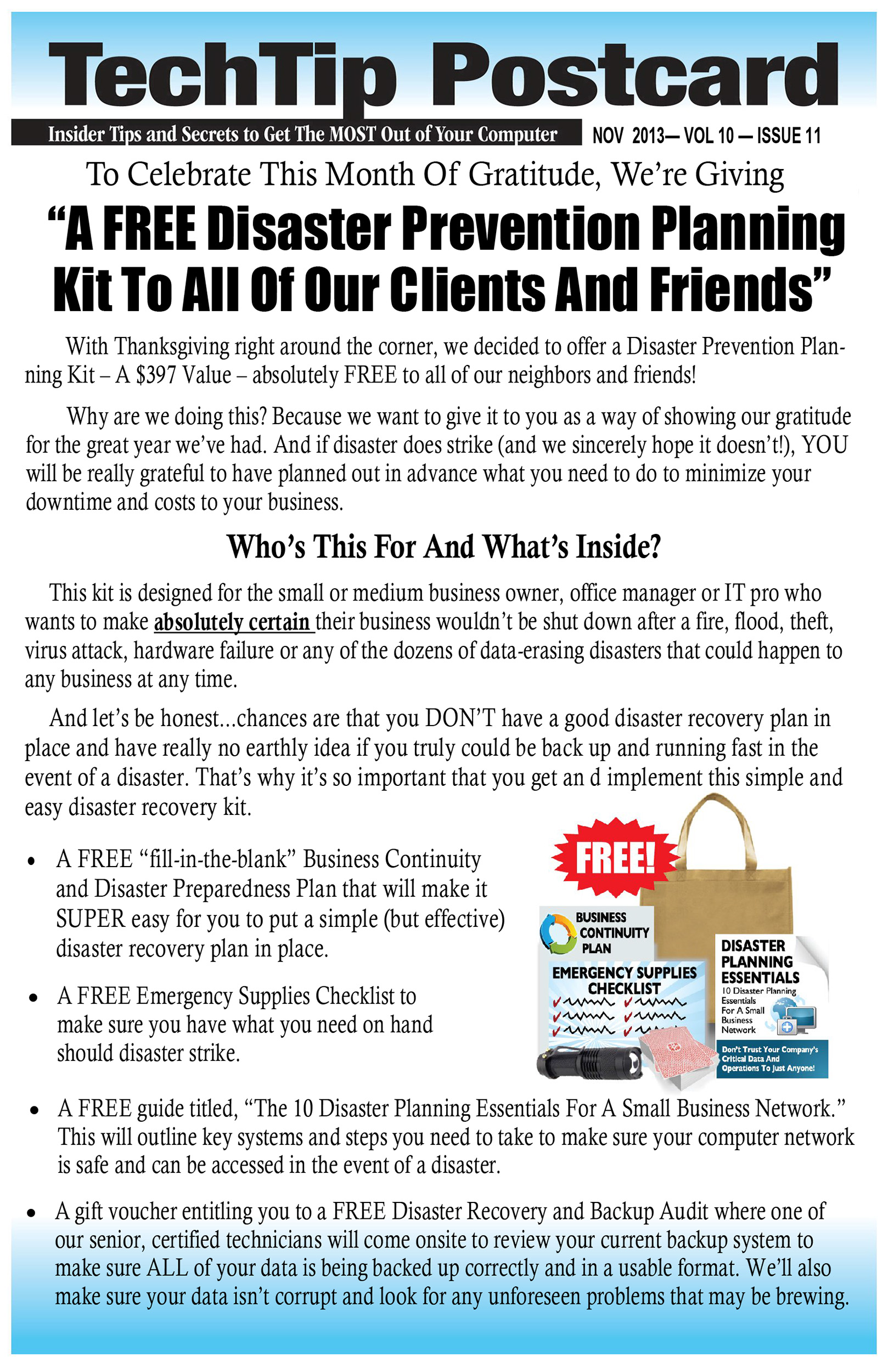
With Thanksgiving right around the corner, we decided to offer a Disaster Prevention Planning Kit – A $397 Value – absolutely FREE to all of our neighbors and friends! Why are we doing this? Because we want to give it to you as a way of showing our gratitude for the great year we’ve had. And if disaster does strike (and we sincerely hope it doesn’t!), YOU will be really grateful to have planned out in advance what you need to do to minimize your downtime and costs to your business.

Who’s This For And What’s Inside?disaster-recovery-san-antonio

This kit is designed for the small or medium business owner, office manager or IT pro who wants to make absolutely certain their business wouldn’t be shut down after a fire, flood, theft, virus attack, hardware failure or any of the dozens of data-erasing disasters that could happen to any business at any time. And let’s be honest…chances are that you DON’T have a good disaster recovery plan in place and have really no earthly idea if you truly could be back up and running fast in the event of a disaster. That’s why it’s so important that you get an d implement this simple and easy disaster recovery kit.

  • – A FREE “fill-in-the-blank” Business Continuity and Disaster Recovery Preparedness Plan that will make it SUPER easy for you to put a simple (but effective) disaster recovery plan in place.
  • – A FREE Emergency Supplies Checklist to make sure you have what you need on hand should disaster strike.
  • – A FREE guide titled, “The 10 Disaster Recovery Planning Essentials For A Small Business Network.” This will outline key systems and steps you need to take to make sure your computer network is safe and can be accessed in the event of a disaster.
  • – A gift voucher entitling you to a FREE Disaster Recovery and Backup Audit where one of our senior, certified technicians will come onsite to review your current backup system to make sure ALL of your data is being backed up correctly and in a usable format. We’ll also make sure your data isn’t corrupt and look for any unforeseen problems that may be brewing.


[easy_contact_forms fid=33]


Cloud Computing, Lower the Costs of IT Upgrades, Maintenance and Support

What Is Cloud Computing And Why Should You Care?

There’s a good chance that MOST of the software applications you use every day are now SaaS applications, or “software as a service.” In other words, you don’t have to install them on your server or PC – you simply access it as a pay-as-you-go model for only the licenses, space and features you use. This gives you the ability to access highly sophisticated software and functionality at a fraction of the cost – or even for free – and without long-term commitments.

For example, Google is a massive, free cloud application – the power required to search billions of web sites and content in seconds and deliver the relevant results to your screen far exceeds the capacity of your PC. Facebook is another free cloud application that allows you to post pictures, play games, and connect with your friends in real time without having to install those applications on your computer. Of course, there are also the applications such as Salesforce, Constant Contact, SurveyMonkey, etc., that you pay to use.

With the recent introduction of cloud-based office applications like Office 365, Google Apps and thousands of other SaaS applications, it’s becoming unnecessary for some businesses to purchase and maintain an onsite server. Now companies can host one or more of their applications, data, e-mail and other functions “in the cloud.” That simply means it’s stored offsite in a highly secure, high-availability “utility” company that has far more power and resources than you could ever logically have onsite as a small business. And with devices getting cheaper and Internet connectivity exploding, cloud computing is suddenly a very smart, viable option for small business owners.


What Are The Benefits Of Cloud Computing?

– Eliminates the need for expensive server upgrades and allows you to use cheaper devices (PCs, etc.) to get the same work done.
– Frees you to access applications from any device and any location. All you need is an Internet connection.
– Built-in disaster recovery and business continuity.
– Only pay for what you need and use (utility pricing).

Is Cloud Computing Right For You?

While there are a ton of benefits to cloud computing, it’s NOT right for every company. Some applications don’t play well in the cloud. You need commercial-grade Internet connectivity, and some functions, like working with big graphics files, are better kept local or the slowness will make you crazy. However, in almost every case, parts of your computer network (functions) can easily be put in the cloud to save you money and give you better service. So before you donate your server and sign up for Google Apps or Office 365, it’s important you talk to us so we can honestly assess your unique situation and tell you the pros and cons of making the switch to cloud computing.

[divider style=”solid”][/divider]

You can find more information on this important matter by downloading this Free Report:

data-backup-san-antonioInformational Guidebook to Finding An Honest, Dependable and Experienced Cloud Services Company


[divider style=”solid”][/divider]


Open post
it-services-it-support-san-antonio

Cloud Services, Is Your Company Prepared?

Cloud Services?

A whole lot continues to be claimed and written about the topic of cloud services and computing during the last few years. Numerous businesses are shifting or have already switched to the cloud services model, but how about your company? Is it really time for you to migrate The Cloud? The proper answer to this challenging doubt sits tightly on the particular scenario surrounding your organization.

What Exactly are Cloud Services & Computing?

Essentially, the Cloud describes the delivery of information and data storage and computing as a service, instead of a product. In place of considering these methods with regards to products which you acquire and set up on your desktop or network or physically in your place of business (information storage units similar to optical or hard drives, for example), cloud services provide the concept of remote accessibility to these items. Programs and computer data are situated on external servers as they are utilized remotely over a network, through any connected hardware (from a conventional personal computer to any telephone), in most cases working with a web browser or some kind of app.

Pros and Cons of Cloud Services for Businesses

As it is likely with almost everything, the cloud model incorporates both potential benefits and drawbacks.

• Pros

1 . Savings: Based on your organization’s particular computing and network requirements, you might find the cloud service model offers important month-to-month financial savings over a more standard hardware/software model, especially in the aspects of Website hosting, email and virus security, as well as routine hardware upgrades.

2 . Ease of Use, Maintenance and Team Collaboration: A number of businesses discover it is simpler to deal with software programs over the cloud when compared with the need to install computer software on computers, for example, or update software. In a cloud environment, these kind of things are efficiently dealt with externally. In addition, having access to your information, programs and services is available anywhere anytime, making use of any suitable gear like laptops, tablets and even cell phones. And as a result of the accessibility, teaming up employing cloud services is a lot simpler compared to any regular computing-data storage approach.

3 . Natural, Internet based Data Back-up: A cloud based system takes away the company’s data from any local difficulties that could show up and, at least in certain situations, offers redundant backup functionality as a part of the cloud services. A cloud strategy can deliver an iterative backup to computer data that you choose to maintain in house.

• Cons

1 . Security Fears: Although data isn’t completely protected anywhere, issues with cloud safety breaches had been very well reported.

2 . Privacy: Some individuals can’t help but speculate just how much data cloud providers are collecting around their clients and what they choose to do with it.

3 . Service Effectiveness: In case a cloud service provider system goes down, having access to the tools and data files you require might be not available.

4 . Service Stability and Flexibility: What occurs if your cloud provider gets out of the market? Are you going to be capable of retrieving your data and will it be an easy matter to shift it to a different company?

Looking for Guidance

So is your organization ready for cloud services? It’s a tricky matter to resolve. You really should discuss this subject with one of our experienced computer advisors for guidance regarding whether or not to adopt the service and, in case the cloud is in your immediate future, discuss recommendations around the most convenient way to approach making the shift.

Extend your knowledge about Managing cloud infrastructure

You can find more information on this important matter by downloading this Free Report:

data-backup-san-antonioInformational Guidebook to Finding An Honest, Dependable and Experienced Cloud Services Company

Posts navigation

1 2 3 4 5 6 7 8
Scroll to top