Open post
it-services-it-support-san-antonio

IT Services San Antonio – You Just Discovered One Of Your Employees Had Their Laptop Stolen…

IT Services San Antonio

Pop Quiz: You Just Discovered One Of Your Employees Had Their Laptop Stolen…

Quick, What Do You Do?

Over the last couple of months, I’ve come across some alarming statistics that you should know. There are 12,000 or so laptops found in US airports each week and 62,000 lost electronic devices recovered from New York’s metropolitan buses, taxis, trains, and stations each year! The bottom line is no matter how careful you are with your laptop, mistakes occur and losing a laptop (or having one stolen) is likely to happen to you or your employees at some point in time.
In the hands of a relatively unsophisticated hacker, all of your laptop information can be siphoned off, allowing an open back door into your network. This is akin to giving a thief the key to your office and the code to deactivate the alarm. Imagine the embarrassment of having to contact all of your customers to let them know THEIR confidential information may be compromised because one of YOUR unsecured laptops is in the hands of a criminal!
Asking employees to be more careful about where they keep their laptop IS a good step in the right direction, but accidents happen and thieves are always on the prowl. That’s why it’s so important to take measures to lock down and secure any mobile devices you and your staff use to access your company’s network. Here are just a few things:

Encrypt All Information – Drive encryption software such as BitLocker (which is included in some versions of Microsoft Windows Vista) can secure all the data on your hard drive. Also, check your computer to see if it has a Trusted Platform Module (TPM) chip which is generally more secure than those without TPM.
Multi-Level Access Security – Don’t rely only on passwords to keep your laptop safe. Hackers can usually break most passwords in a few hours. We recommend adding a second way for people to prove that they are who they say they are BEFORE they are able to log in. Some people use smart cards to do this, but fingerprint pads are gaining in popularity.
Log / Back-Up Information – It’s critical to log and back-up all information on business laptops to ensure smooth operations in the event of loss or destruction. We can automate the backups so they are done ON SCHEDULE and in a way that won’t interfere with the use of the laptop.
The Right Response – What happens when an employee loses a laptop? Do you have a next step action plan in place? If not, we suggest calling us immediately to report the loss (Note: clients on our Managed Services Plan will get after hours support for situations like this). The sooner we know, the sooner we can take preventative actions to lock that laptop out of the network. A blame culture where people are afraid to report losses is actually much worse for security.
Take the time NOW to secure your laptop and limit the damage to your business if it happens. We specialize in securing business data like yours, and making sure it is available whenever you need it, so give us a call at 210-263-3810 to discuss encryption options and how to make your business network more secure.


Areas Covered

IT Services San Antonio – We provide a wide range of complete computer IT support, network services and IT consulting to businesses throughout San Antonio, Schertz, Seguin, Boerne, Canyon Lake, Stone Oak, Universal City, Pleasanton, Castle Hills, Leon Valley, Converse, Shavano Park, Cibolo, Olmos Park, Live Oak, Timberwood Park, New Braunfels and throughout Southern Texas.

Local experts who can help and visit your business on-site: IT Services San Antonio, Stone Oak IT Consulting, Leon Valley Network Services, San Antonio Backup and Disaster Recovery, Stone Oak Information Technology Consulting and San Antonio Anti-Virus and Security.
 

Open post

FREE Disaster Prevention Planning Kit

Disaster Recovery – Disaster Prevention Planning Kit

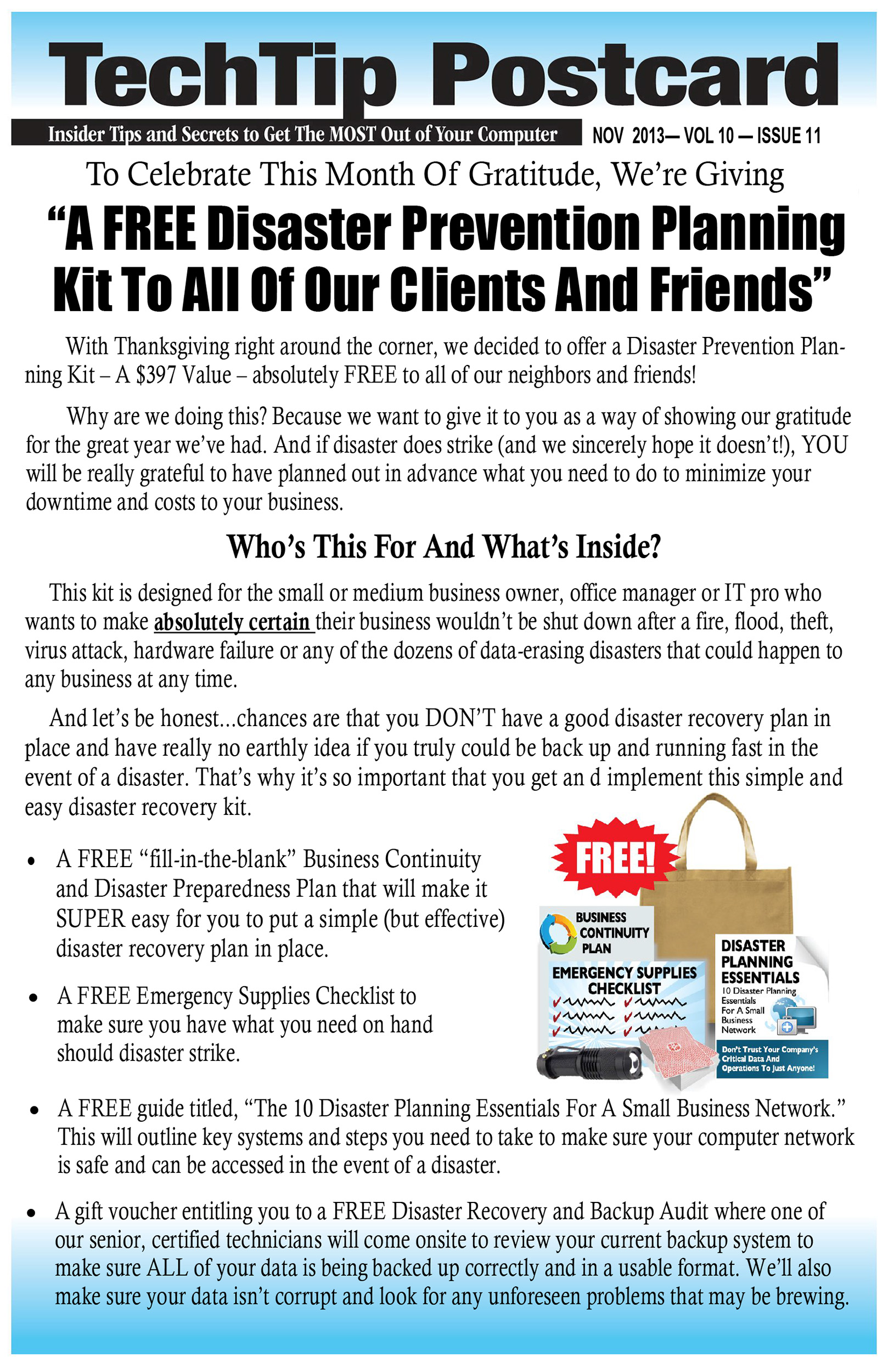
With Thanksgiving right around the corner, we decided to offer a Disaster Prevention Planning Kit – A $397 Value – absolutely FREE to all of our neighbors and friends! Why are we doing this? Because we want to give it to you as a way of showing our gratitude for the great year we’ve had. And if disaster does strike (and we sincerely hope it doesn’t!), YOU will be really grateful to have planned out in advance what you need to do to minimize your downtime and costs to your business.

Who’s This For And What’s Inside?disaster-recovery-san-antonio

This kit is designed for the small or medium business owner, office manager or IT pro who wants to make absolutely certain their business wouldn’t be shut down after a fire, flood, theft, virus attack, hardware failure or any of the dozens of data-erasing disasters that could happen to any business at any time. And let’s be honest…chances are that you DON’T have a good disaster recovery plan in place and have really no earthly idea if you truly could be back up and running fast in the event of a disaster. That’s why it’s so important that you get an d implement this simple and easy disaster recovery kit.

  • – A FREE “fill-in-the-blank” Business Continuity and Disaster Recovery Preparedness Plan that will make it SUPER easy for you to put a simple (but effective) disaster recovery plan in place.
  • – A FREE Emergency Supplies Checklist to make sure you have what you need on hand should disaster strike.
  • – A FREE guide titled, “The 10 Disaster Recovery Planning Essentials For A Small Business Network.” This will outline key systems and steps you need to take to make sure your computer network is safe and can be accessed in the event of a disaster.
  • – A gift voucher entitling you to a FREE Disaster Recovery and Backup Audit where one of our senior, certified technicians will come onsite to review your current backup system to make sure ALL of your data is being backed up correctly and in a usable format. We’ll also make sure your data isn’t corrupt and look for any unforeseen problems that may be brewing.


[easy_contact_forms fid=33]


Cloud Computing, Lower the Costs of IT Upgrades, Maintenance and Support

What Is Cloud Computing And Why Should You Care?

There’s a good chance that MOST of the software applications you use every day are now SaaS applications, or “software as a service.” In other words, you don’t have to install them on your server or PC – you simply access it as a pay-as-you-go model for only the licenses, space and features you use. This gives you the ability to access highly sophisticated software and functionality at a fraction of the cost – or even for free – and without long-term commitments.

For example, Google is a massive, free cloud application – the power required to search billions of web sites and content in seconds and deliver the relevant results to your screen far exceeds the capacity of your PC. Facebook is another free cloud application that allows you to post pictures, play games, and connect with your friends in real time without having to install those applications on your computer. Of course, there are also the applications such as Salesforce, Constant Contact, SurveyMonkey, etc., that you pay to use.

With the recent introduction of cloud-based office applications like Office 365, Google Apps and thousands of other SaaS applications, it’s becoming unnecessary for some businesses to purchase and maintain an onsite server. Now companies can host one or more of their applications, data, e-mail and other functions “in the cloud.” That simply means it’s stored offsite in a highly secure, high-availability “utility” company that has far more power and resources than you could ever logically have onsite as a small business. And with devices getting cheaper and Internet connectivity exploding, cloud computing is suddenly a very smart, viable option for small business owners.


What Are The Benefits Of Cloud Computing?

– Eliminates the need for expensive server upgrades and allows you to use cheaper devices (PCs, etc.) to get the same work done.
– Frees you to access applications from any device and any location. All you need is an Internet connection.
– Built-in disaster recovery and business continuity.
– Only pay for what you need and use (utility pricing).

Is Cloud Computing Right For You?

While there are a ton of benefits to cloud computing, it’s NOT right for every company. Some applications don’t play well in the cloud. You need commercial-grade Internet connectivity, and some functions, like working with big graphics files, are better kept local or the slowness will make you crazy. However, in almost every case, parts of your computer network (functions) can easily be put in the cloud to save you money and give you better service. So before you donate your server and sign up for Google Apps or Office 365, it’s important you talk to us so we can honestly assess your unique situation and tell you the pros and cons of making the switch to cloud computing.

[divider style=”solid”][/divider]

You can find more information on this important matter by downloading this Free Report:

data-backup-san-antonioInformational Guidebook to Finding An Honest, Dependable and Experienced Cloud Services Company


[divider style=”solid”][/divider]


Open post
it-services-it-support-san-antonio

Cloud Services, Is Your Company Prepared?

Cloud Services?

A whole lot continues to be claimed and written about the topic of cloud services and computing during the last few years. Numerous businesses are shifting or have already switched to the cloud services model, but how about your company? Is it really time for you to migrate The Cloud? The proper answer to this challenging doubt sits tightly on the particular scenario surrounding your organization.

What Exactly are Cloud Services & Computing?

Essentially, the Cloud describes the delivery of information and data storage and computing as a service, instead of a product. In place of considering these methods with regards to products which you acquire and set up on your desktop or network or physically in your place of business (information storage units similar to optical or hard drives, for example), cloud services provide the concept of remote accessibility to these items. Programs and computer data are situated on external servers as they are utilized remotely over a network, through any connected hardware (from a conventional personal computer to any telephone), in most cases working with a web browser or some kind of app.

Pros and Cons of Cloud Services for Businesses

As it is likely with almost everything, the cloud model incorporates both potential benefits and drawbacks.

• Pros

1 . Savings: Based on your organization’s particular computing and network requirements, you might find the cloud service model offers important month-to-month financial savings over a more standard hardware/software model, especially in the aspects of Website hosting, email and virus security, as well as routine hardware upgrades.

2 . Ease of Use, Maintenance and Team Collaboration: A number of businesses discover it is simpler to deal with software programs over the cloud when compared with the need to install computer software on computers, for example, or update software. In a cloud environment, these kind of things are efficiently dealt with externally. In addition, having access to your information, programs and services is available anywhere anytime, making use of any suitable gear like laptops, tablets and even cell phones. And as a result of the accessibility, teaming up employing cloud services is a lot simpler compared to any regular computing-data storage approach.

3 . Natural, Internet based Data Back-up: A cloud based system takes away the company’s data from any local difficulties that could show up and, at least in certain situations, offers redundant backup functionality as a part of the cloud services. A cloud strategy can deliver an iterative backup to computer data that you choose to maintain in house.

• Cons

1 . Security Fears: Although data isn’t completely protected anywhere, issues with cloud safety breaches had been very well reported.

2 . Privacy: Some individuals can’t help but speculate just how much data cloud providers are collecting around their clients and what they choose to do with it.

3 . Service Effectiveness: In case a cloud service provider system goes down, having access to the tools and data files you require might be not available.

4 . Service Stability and Flexibility: What occurs if your cloud provider gets out of the market? Are you going to be capable of retrieving your data and will it be an easy matter to shift it to a different company?

Looking for Guidance

So is your organization ready for cloud services? It’s a tricky matter to resolve. You really should discuss this subject with one of our experienced computer advisors for guidance regarding whether or not to adopt the service and, in case the cloud is in your immediate future, discuss recommendations around the most convenient way to approach making the shift.

Extend your knowledge about Managing cloud infrastructure

You can find more information on this important matter by downloading this Free Report:

data-backup-san-antonioInformational Guidebook to Finding An Honest, Dependable and Experienced Cloud Services Company

Open post

Getting Rid Of Windows XP Will Likely Exorcise Hidden Gremlins And Goblins Lurking In Your Computer Network

7 Reasons Why Getting Rid Of Windows XP Will Likely Exorcise Hidden Gremlins And Goblins Lurking In Your Computer Network

Although many businesses have been getting rid of Windows XP for at least the last 3 years, the fact remains that as of early this year, around 500 million business computers were still running Windows XP. While the witching hour for Windows XP is still a few months away (April 9, 2014), here are 7 of the top reasons running Windows XP should scare any business owner right now:

1.    Tons Of Viruses. There is a huge library of viruses aimed at Windows XP and limited antivirus support still available.

2.    XP Is OLD (almost 12 years old!). The 1st iPod was released the same year as Windows XP. In a world where the 5th iPhone has been released, no one should be left using an O/S that pre-dates the 1st iPod!

3.    Least Secure Operating System (By Far!). ALL other platforms, including Linux, all versions of Mac OS X, Windows 7 and Windows 8 are more secure than XP by a huge margin. Windows Vista is actually a far safer option (scary!). getting-rid-of-windows-xp

4.    Built For A Simpler Time. XP was created for a simpler world of technology. It was formatted to fit to a screen only 640 pixels wide, and it showcased IE6 as a new product. The internet was a different place when XP was developed. Smartphones were non-existent, laptops were a luxury and tablet computers were science fiction.

5.    No More Band-Aids. Only so many band-aid fixes on top of each other can be effective.

6.    Support Is Ending. All support of XP will end on April 9, 2014.  It’s time to replace your systems now while you can plan ahead.

7.    Malware Everywhere. You can continue to use XP, but with more malware than ever. XP is by far the most vulnerable platform to connect to the internet.

Our Free Network Assessment (a $297 value) Will Exorcise The Ghosts, Gremlins and Goblins Causing Problems In Your Computer Network. Good From Now Until Halloween (October 31st).


Open post
it-services-it-support-san-antonio

Tax-Free IT: Hardware as a Service. Computer Support San Antonio

Computer Support San Antonio

When it comes to information technology, many businesses are all too familiar with the technical complications—the complexity, the problems related to upgrading, the downtime, and so forth. But there’s another issue to be concerned about that has nothing to with the commonly felt IT headaches: accounting. Many enterprises have already decided that the technical side of IT and the potential direct cost savings are reason enough to outsource the responsibility to a third party with expertise, but there are considerations that make outsourcing a compelling option from another standpoint as well: OPEX versus CAPEX.

OPEX vs. CAPEX: The Distinction Explored
OPEX stands for operational expenditures and CAPEX stands for capital expenditures. What’s the difference?

Capital expenditures (CAPEX) refer to business purchases that have some benefit down the road. These tend to be something tangible—investments in production equipment, for example, or a new building. Operational expenditures (OPEX) are money spent on the day-to-day aspects of doing business. For instance, wages and equipment repair fall under the OPEX category.

From a tax standpoint, there’s a significant difference between the two. Due to their immediacy, expenses in the OPEX category can be fully deducted from tax obligations in the same year that the expenditure was made. When it comes to CAPEX, on the other hand, because the expenditures involve a future benefit, deductions for those expenses must be spread out over multiple years.

OPEX and CAPEX and Their Application to IT 

What does the OPEX/CAPEX distinction mean when it comes to information technology? When a company purchases IT equipment, it is classified as a capital expenditure. As the equipment depreciates over time—several years, in practical terms—the tax deduction is slowly and gradually applied. This is a potential significant negative for the cash flow of a business. If, however, a company outsources its IT services to an expert managed services provider, the cost of the service is regarded as an operational expenditure. Each year, the full cost of IT service is tax deductible.

Other Benefits
Of course the benefits of outsourcing IT services to a managed services provider aren’t limited to a tax advantage. Among the other benefits are:

• Expertise. You’re contracting with a firm whose business is information technology.

• Better Use of Human Resources. Your employees can concentrate on what they do best—the substantive nature of their jobs—rather than spending their time dealing with IT problems.

• Avoiding Upgrade Headaches. The constant turmoil associated with hardware upgrades is someone else’s problem. In effect, you gain the advantage of never having to deal with the problem of obsolete hardware ever again.

• Reduced Downtime. A managed service provider will be better able to recognize impending problems and solve them before they cause you trouble.

The Final Word
There are a host of compelling reasons for many businesses to consider outsourcing their IT functions, from direct cost savings to fewer operating and upgrading headaches to fiscal advantages. Contact a professional IT consultant today to see how you can realize all of the benefits.

ONIT Technology Solutions is your prime provider for Computer Support.

Open post

The New Security Breach Notification Laws – What You Need To Know

It’s Monday morning and one of your employees notifies you that they lost their laptop at a Starbucks over the weekend, apologizing profusely. Aside from the cost and inconvenience of buying a new laptop, could you be on the hook for bigger costs, and should you notify all your clients? Maybe, depending on where you live and what type of data you had stored on that laptop.

An Emerging Trend In Business Law

Since companies are storing more and more data on their employees and clients, most states are starting to aggressively enforce security breach notification laws that set out the responsibilities for businesses capturing and storing personal data. What do most states consider confidential or sensitive data? Definitely medical and financial records such as credit card numbers, credit scores and bank account numbers, but also addresses and phone numbers, social security numbers, birthdays and in some cases purchase history—information that almost every single company normally keeps on their clients.

“We Did Our Best” Is No Longer An Acceptable Answer

With millions of cyber criminals working daily to hack systems, and with employees accessing more and more confidential client data, there is no known way to absolutely, positively guarantee you won’t have a data breach. However, your efforts to put in place good, solid best practices in security will go a long way to help you avoid hefty fines. Here are some basic things to look at to avoid being labeled irresponsible and how to comply with security breach notification laws:

security-breach-notification-laws

– Managing access. Who can access the confidential information you store in your business? Is this information easily accessible by everyone in your company? What is your policy about taking data out o

– IT security and passwords The more sensitive the data, the higher the level of security you need to keep on it. Are your passwords easy to crack? Is the data encrypted? Secured behind a strong firewall? If not, why?f the office on mobile devices?

– Training. One of the biggest causes for data breaches is the human element: employees who accidentally download viruses and malware that allow hackers easy access. Do you have a data security policy? A password policy? Do you have training to help employees understand how to use e-mail and the Internet responsibly?

– Physical security. It’s becoming more common for thieves to break into offices and steal servers, laptops and other digital devices. Additionally, paper contracts and other physical documents containing sensitive information should be locked up or scanned and encrypted.

The bottom line is this: Data security is something that EVERY business is now responsible for, and not addressing this important issue has consequences that go beyond the legal aspect; it can seriously harm your reputation with clients. So be smart about this. Talk to your attorney about your legal responsibility.


Open post
it-services-it-support-san-antonio

How a Cloud Phone System Can Help Your Business

Cloud Phone Systems

A large amount organizations are permanently searching for ways to help their businesses become more effective. Increased performance signifies vast growth possibilities, and growth indicates the opportunity for better profitability, the intention of each and every company. One particular area that lots of companies have ignored in their aim for enhanced profit potential is their choice of phone system. After all, how could a telephone system build up profitability ? The advantages are greater than might seem initially.

VOIP/Cloud Phone System. A Quick Explanation

Voice over Internet Protocol ( VOIP ) cloud phone systems provide voice as well as other communications over the Internet, in comparison with conventional wired phone systems or traditional mobile cellular phone services that use their exclusive networks in one form or another. Because of this , VOIP/Cloud phone systems provide users the chance to handle a single integrated data network that features diverse forms of communications, instead of having different networks for various business functions.

The Double Benefits of VOIP/Cloud Phone Systems

Accurately implemented, a VOIP/Cloud phone system will help the bottom line of companies in a couple of ways, direct cost savings and improved productivity.

1 . VOIP/Cloud phone systems can help to save businesses their money directly in many different ways.

Reduced Initial Expenses: New gear necessary for a VOIP/Cloud phone system is affordable.
Maintenance Expense Reduction: The lack of complex infrastructure reduces maintenance expenses to the bone. The heavy-lifting is all completed remotely by the vendor.
Lower Telephone Monthly Bills: Based upon the package selected, considering the fact that communication is transmitted over an Internet network, a huge decrease in the month-to-month telephone bill is likely. Nearly always, no matter the duration of the call and location of the user, individual phone call fees just vanish.

2 . As amazing as the immediate cost benefits from a switch to VOIP can be, the efficiency increases may be a lot more considerable  although they’re typically a little more hard to identify. VOIP can enhance staff member productivity in the following ways:

Integration: By including all of the communication networks into just one package, staff can accomplish extra jobs in significantly less time. For example, e-mail, voicemail, faxes and text messages can each be accessed and replied to utilizing only one device and application. Customer service information can be directly found while conversing with a customer or communicating by Web chat or text, drastically saving time and errors.
Wider Accessibility: Any staff member can easily be in contact with virtually any device which has access to the Internet, which significantly benefits an increasing mobile workforce. That access isn’t restricted to direct voice communication. The capability to tie into files and data, as well as place telephone calls, e-mail and texts, is a significant aspect of the benefit of VOIP/Cloud phone systems.
Improved Flexibility: VOIP/Cloud phone systems users normally are able to make modifications to the system without needing to undergo some type of IT Computer support. The majority of providers have ways to make adjustments by a simple phone call or a Web-based user interface. Hardly ever will there be a need to wait around for some kind of broad-based infrastructure transformation to fulfill new demands.

Time to Switch ?

Most companies, large and small, have actually considered it smart to shift from a traditional phone system to VOIP/Cloud phone system and receive considerable concrete benefits as a result. It may be time for your company to think about a VOIP/Cloud phone system as a data network alternative.

Open post
it-services-it-support-san-antonio

What You Must Look For In A Managed IT Services Provider

By using a Managed IT Services Provider, you will outsource the control of your information technologies system to professionals, allowing you to focus on your company goals. These businesses will take charge of the technology administration along with the tools necessary to monitor, manage & maintain your computer network and perform technical chores like data backup and safe communication along with reduced downtime for IT-related issues.

Relying on a computer network to more efficiently run you small business, means that you need to maintain security patches and data backup procedures, otherwise you will encounter difficulties like user interruption and revenue loss.These issues could take your business to a screeching halt, which will cost a whole lot with regards to income. As part of their solutions, a Managed IT Services Provider will take care of all the challenges and will take the responsibility of maintaining the IT base healthy, balanced and problem free.


It’s vital for you as a business owner to be capable of finding an experienced a managed it service provider for your organization. Here are some aspects that you need to consider before deciding to choose an IT support provider.

  • [list list_type=”ul” list_class=”2″]The managed IT services provider has to be capable of tailoring solutions to fit your unique requirements` They need to be adaptable enough to handle expansion and be effective in managing any kind of technological situations that occur. For instance, in the event of a server crash, it must be brought right back to business with minimum energy` Security is extremely important for your IT infrastructure and the managed IT services provider has to be in a position to administer and manage it with effectiveness` In case the support firm is remotely based, it must be capable of dealing with issues rapidly. With remote access, they must get your company back again online quicky` Choosing a good IT company is going to free you from lots of headaches. These businesses can help you out in various ways in making your business operate effortlessly[/list]

The majority of businesses and organizations today make use of information technology to operate productively. A Managed IT Services Provider is absolutely needed for programming, troubleshooting and protecting the equipment, applications and network monitoring along with system related requirements.

For an IT Solutions provider to be effective, it needs to take care of numerous technology services that fit a particular company’s requirements; different organizations have different requirements. Make this an important element in the search for an IT solutions firm for your company’s needs. .

As your Managed IT Services Provider, ONIT Technology Solution can help your business succeed when it comes to technology, computer and data concerns as we guarantee your satisfaction in every phase of our work.

Open post
it-services-it-support-san-antonio

How Email Spam Filtering Can Help Your Business

Email Spam Filtering

When focusing on protecting a business against e-mail viruses, many companies use a two way tactic. The initial step consists of running an antivirus program directly on the message server. This application screens inbound and outbound e-mail and seek every mail for infections. The second element to a regular e-mail antivirus method, consists of using antivirus programs on every user computer. This software supervises the workstation’s file system and also into Microsoft Outlook. The goal is that the client-level antivirus tool could capture any infections that have managed to escape past the antivirus software working on the mail server.

This two tiered method is effective, however, by relying on workstation and server level antivirus application, you are essentially permitting e-mail viruses to get into your company, but just in some parts of your network. It is completely essential to have antivirus software on each machine in your company. At the same time however, I have usually experienced that antivirus applications must be the last type of protection, not the first. It is a lot better to keep viruses outside the network, than it is to rely upon the antivirus application to eliminate malware after they have entered your systems.

An effective solution to guard your network against e-mail viruses is to use managed email spam filtering. The concept behind hosted email spam filtering is that you outsource malware/virus/message scanning to a third party firm. The supplier cleans your inbound messages before their delivery at your email server. Remember that managed email spam filtering is meant to complement your
present antivirus procedures, not to replace it. It is actually vital that you run your regular antivirus programs that will guard your network should an infection get by the hosted email spam filtering procedure or in the event a user brings a spyware into your company by means of their personal devices if you are allowing BYOD (Bring Your Own Device).

How does email spam filtering works?

The key to knowing how hosted filtering functions is to understand a small bit on how the domain name system ( DNS ) operates. Every single domain name on the web has a DNS server which is regarded as authoritative for that domain. At the very least, this DNS server has a host record that provides the IP address of the domain’s Internet site. Normally, the DNS server has a mail exchanger ( MX ) record for a site domain, which specifies the IP address of your domain’s email server. For instance , if a person was going to send a message to [email protected], their system will execute a DNS query to locate the MX record related to the 123onit.com domain.  As soon as this record is found, the client computer system will know where to deliver the e-mail.

As we have seen, hosted email spam filtering is an effective choice for augmenting your business data safety. Even when you think that your present antivirus approach is 100% efficient, hosted filtering remains the best idea since it enables you to preserve Internet bandwidth because infected emails will no longer be delivered to your own email server. As an additional benefit, most of the organizations that provide hosted email spam filtering services also provide the option of archiving all of your email messages history, consequently enabling you to preserve a backup of your messages for days to come.

Even if only one user spend time sorting and erasing unwanted and unsolicited email messages, you are losing time and money. Let us show you how we can help by contacting us today.

[divider style=”solid”][/divider]

Areas covered

We provide a wide range of complete computer IT support, Email spam filter, network services and IT consulting to businesses throughout San Antonio, Schertz, Seguin, Boerne, Canyon Lake, Stone Oak, Universal City, Pleasanton, Castle Hills, Leon Valley, Converse, Shavano Park, Cibolo, Olmos Park, Live Oak, Timberwood Park, New Braunfels and throughout Southern Texas.

Local experts who can help and visit your business on-site: IT Support San Antonio, Stone Oak IT Consulting, Leon
Valley Network Services, San Antonio Backup and Disaster Recovery, Stone Oak Information Technology Consulting and San Antonio Anti-Virus and Security.

Posts navigation

1 2 3 153 154 155 156 157
Scroll to top